> ## Documentation Index
> Fetch the complete documentation index at: https://teardowns.aero/docs/llms.txt
> Use this file to discover all available pages before exploring further.
# Status lifecycle
> How teardowns move between Starting, In process, Completed, and Archived.
A teardown's lifecycle is a small, deterministic state machine. The
public API exposes three states a partner can choose from at create
time, plus actions to move between them later. Every state change
writes an audit row tagged with the API key that initiated it.
## The states partners see
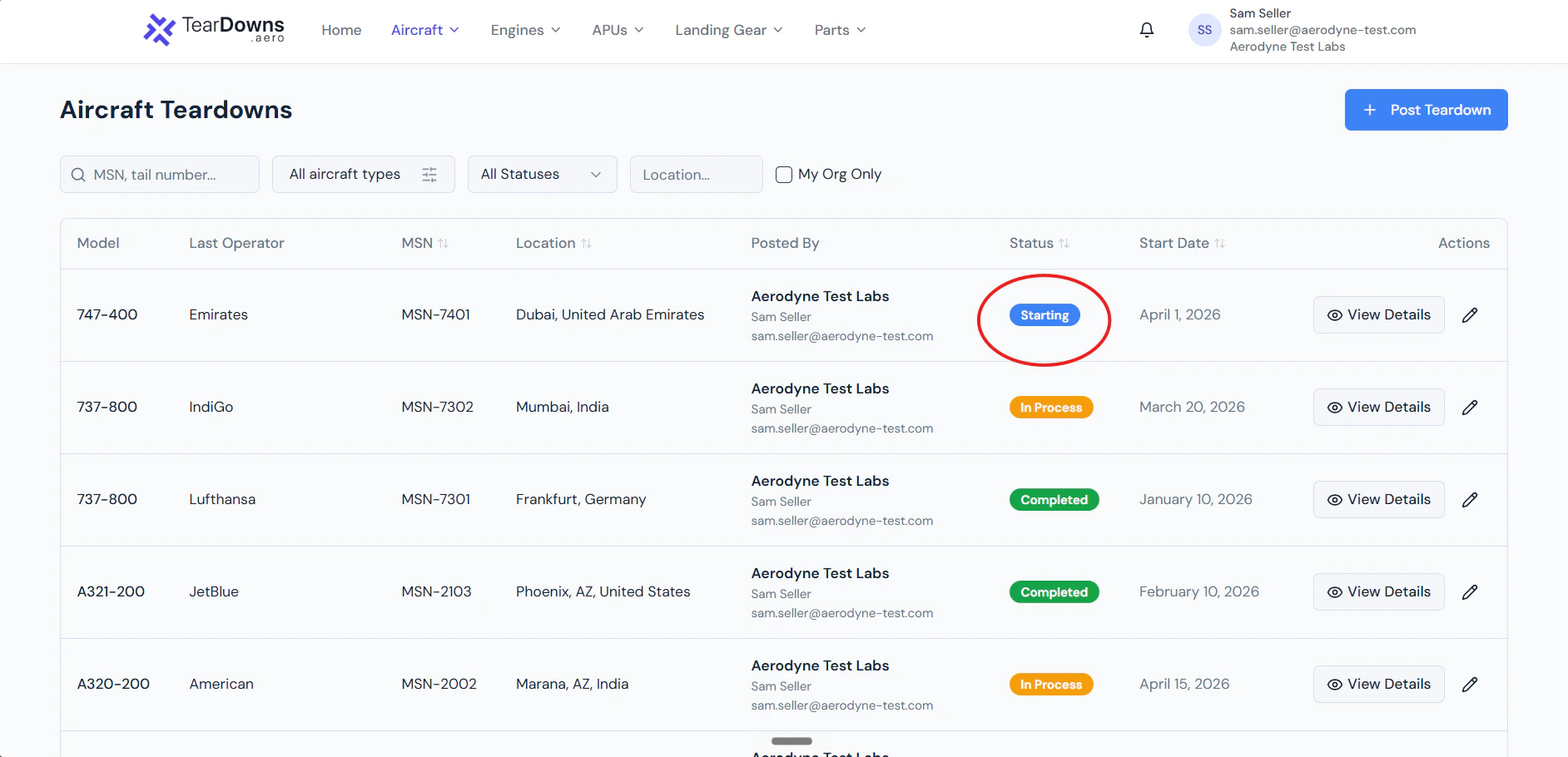
The public API uses three human-facing labels:
| Status sent in `status` body field | Internal lifecycle | UI badge |
| ---------------------------------- | ------------------- | ---------- |
| `Starting` | `active_starting` | Starting |
| `In process` | `active_in_process` | In Process |
| `Completed` | `active_completed` | Completed |
These are the only three values the create endpoint accepts. Sending
anything else gets a clean `422 invalid_status` with the allowed values
echoed in the error body.
 Why three lifecycle states and not draft/active/etc.? The public API
doesn't expose a "draft" or "pending review" path every teardown
posted via API goes straight to active. Drafts are a UI-wizard
convenience, not a partner-API concept.
## Setting the initial state from the API
The `status` field on the create body picks the initial active state:
```jsonc theme={null}
POST /public/v1/teardowns
{
"status": "Starting", // or "In process" or "Completed"
...
}
```
## Moving between states
Use the transition endpoint:
```bash theme={null}
POST /public/v1/teardowns/transition/{teardown_id}
{ "action": "start_processing" }
```
| Action | Allowed from | Result |
| ------------------ | ---------------- | ----------------------- |
| `start_processing` | Starting | In process |
| `complete` | In process | Completed |
| `unpublish` | any active state | Draft (back to UI-only) |
| `archive` | any | Archived |
| `restore` | Archived | Starting |
Trying an action that isn't valid from the current state returns
`400 "Cannot perform 'X' from status 'Y'"`.
See the [transition endpoint reference](/api-reference/teardowns/transition)
for full action / param documentation.
## Audit trail
Every transition writes an `audit_logs` row with:
* `action` = `teardown.` (e.g., `teardown.complete`).
* `previous_state` = `{ "status": "active_starting" }`
* `new_state` = `{ "status": "active_in_process" }`
* `metadata.via_api = true`, `metadata.api_key_id`, `metadata.api_key_prefix`.
So you can always reconstruct who moved what when. Audit rows survive
deletes of the teardown row itself.
Why three lifecycle states and not draft/active/etc.? The public API
doesn't expose a "draft" or "pending review" path every teardown
posted via API goes straight to active. Drafts are a UI-wizard
convenience, not a partner-API concept.
## Setting the initial state from the API
The `status` field on the create body picks the initial active state:
```jsonc theme={null}
POST /public/v1/teardowns
{
"status": "Starting", // or "In process" or "Completed"
...
}
```
## Moving between states
Use the transition endpoint:
```bash theme={null}
POST /public/v1/teardowns/transition/{teardown_id}
{ "action": "start_processing" }
```
| Action | Allowed from | Result |
| ------------------ | ---------------- | ----------------------- |
| `start_processing` | Starting | In process |
| `complete` | In process | Completed |
| `unpublish` | any active state | Draft (back to UI-only) |
| `archive` | any | Archived |
| `restore` | Archived | Starting |
Trying an action that isn't valid from the current state returns
`400 "Cannot perform 'X' from status 'Y'"`.
See the [transition endpoint reference](/api-reference/teardowns/transition)
for full action / param documentation.
## Audit trail
Every transition writes an `audit_logs` row with:
* `action` = `teardown.` (e.g., `teardown.complete`).
* `previous_state` = `{ "status": "active_starting" }`
* `new_state` = `{ "status": "active_in_process" }`
* `metadata.via_api = true`, `metadata.api_key_id`, `metadata.api_key_prefix`.
So you can always reconstruct who moved what when. Audit rows survive
deletes of the teardown row itself.