

Anatomy of a key
- Prefix
tdao_live_fixed. Helps secret-scanning tools (GitHub, GitLab,git-secrets) detect leaks. Future scopes (“test_”, “preprod_”) may appear; you can ignore those for now. - Body 32 base32 characters drawn from a CSPRNG. The math says the probability of two keys ever colliding is approximately zero; a UNIQUE index on the hash is the backup guarantee.
- Length 42 characters total.
What a key carries
A key encodes only:- The organization that minted it (matched against your
X-Organization-Idon every request). - The user who clicked “Generate” (re-checked on every request if they’re deactivated, the key starts failing immediately).
- A label you chose (for your own bookkeeping never sent to the partner-facing surface).
seller capability, their key stops working for endpoints
that need it.
Who can mint
403 api_access_disabled.
Lifecycle operations
Every operation is self-serve from the Settings → API Access page in the web app. Creating or managing API keys requires an authenticated user session, one API key can’t issue another.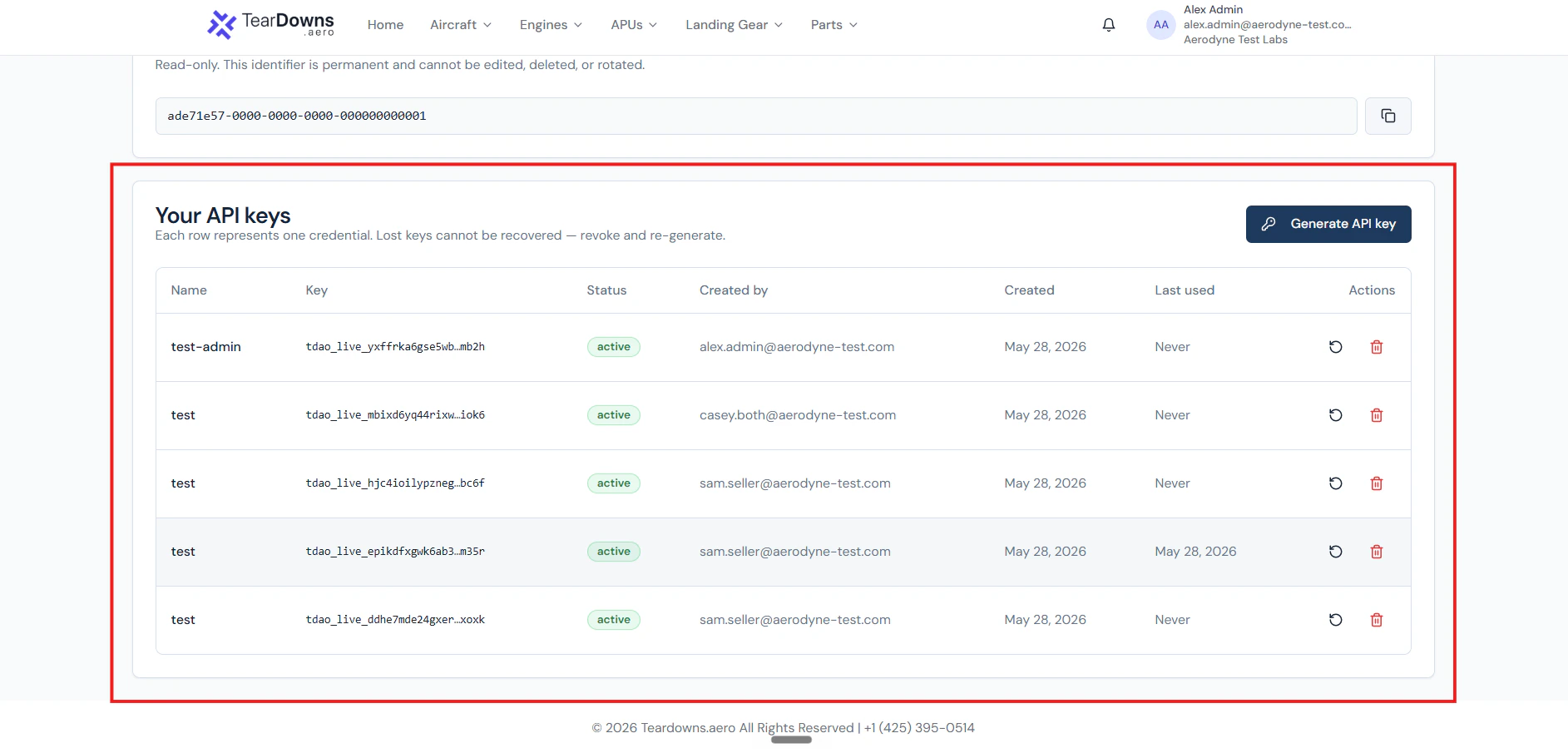
The keys table on Settings → API Access. Each row shows the prefix + last 4 + status + Rotate / Revoke actions.
Generate
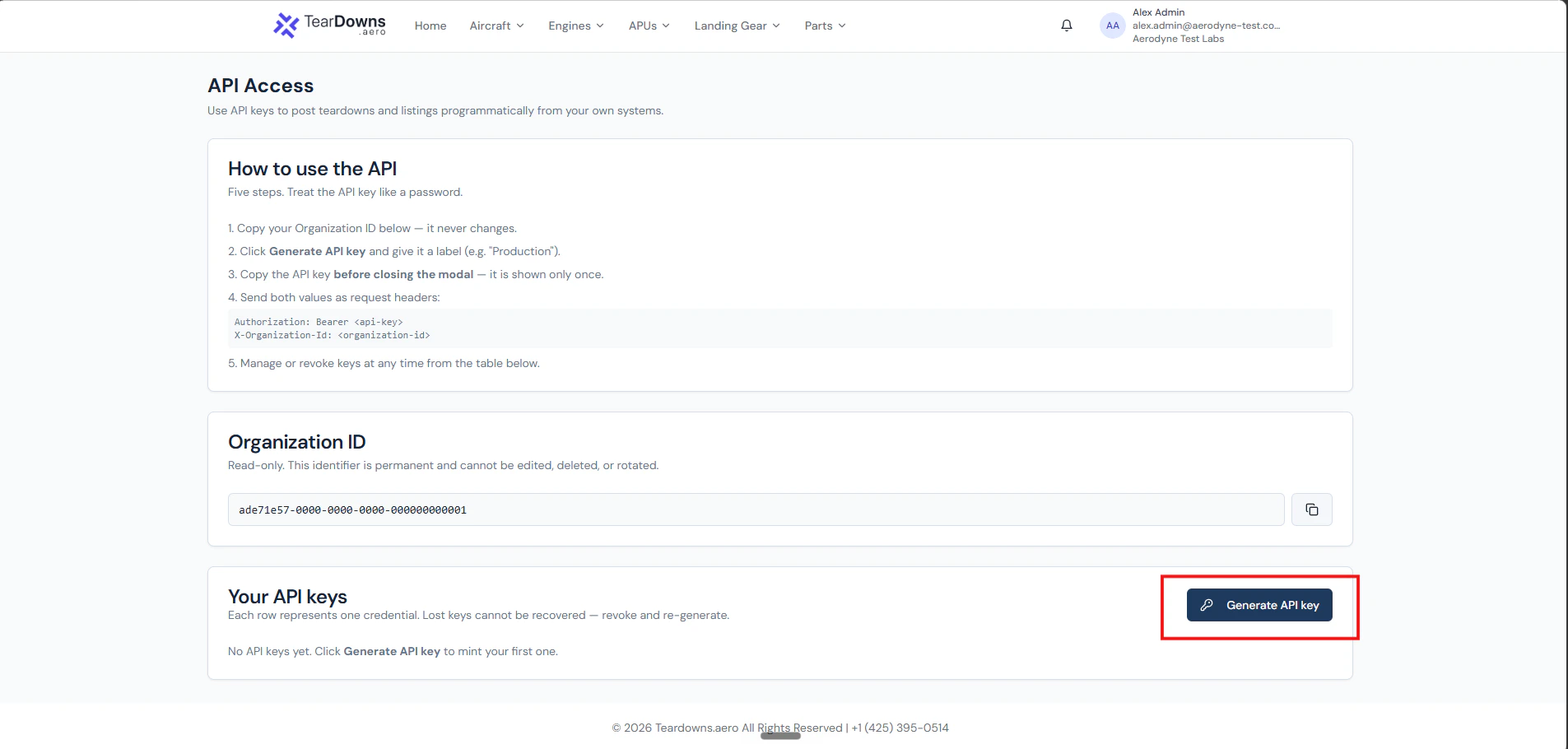
The entry point. Settings → API Access → "Generate API key".
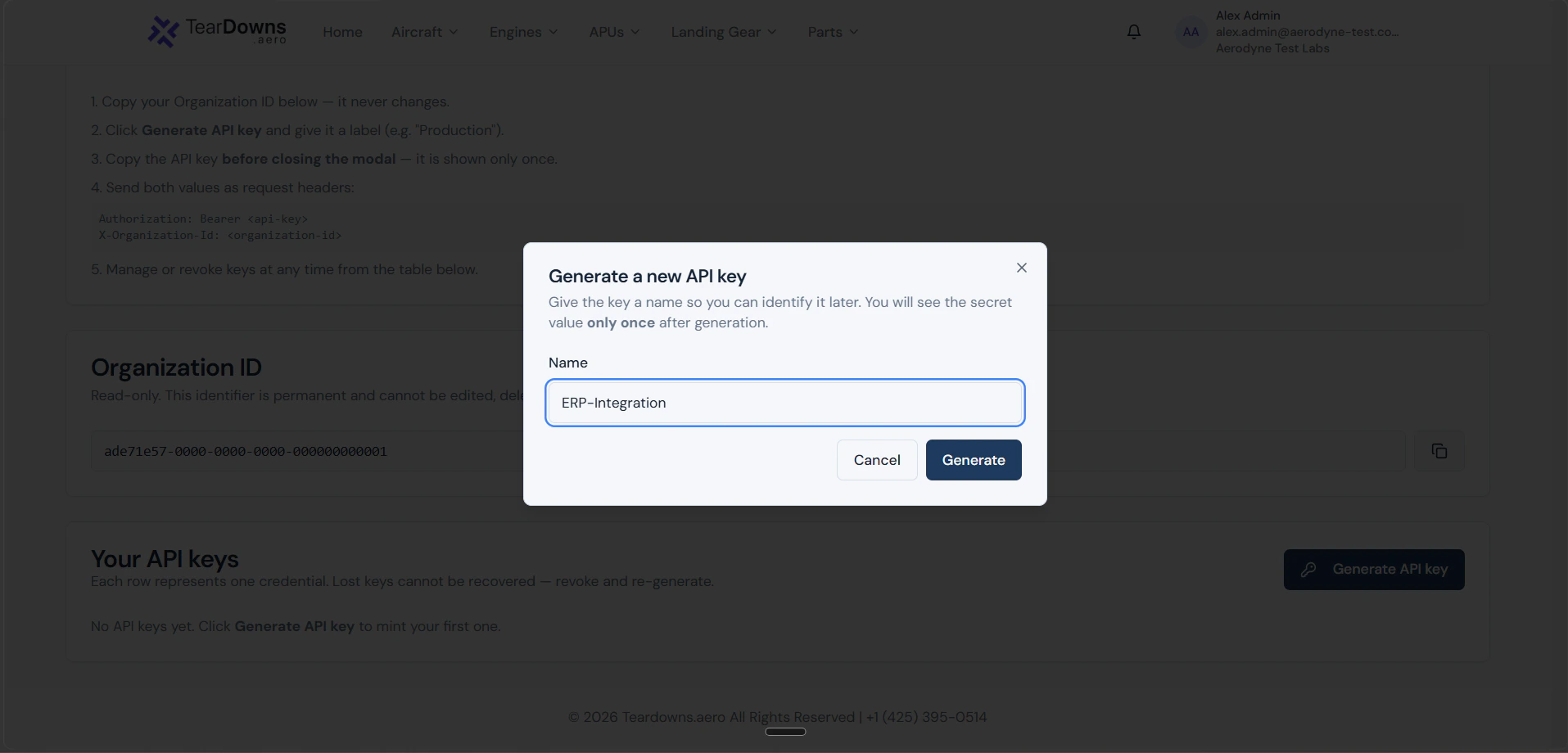
The "Create API key" pop-up. The label is yours, used only on your settings page and in your audit log.
tdao_live_… value plus the
Organization ID side-by-side. There is a copy-to-clipboard button on
the secret. Copy it now, paste into your secrets manager. Closing
this modal without copying means the key is gone, your only option
is to revoke it and mint a fresh one.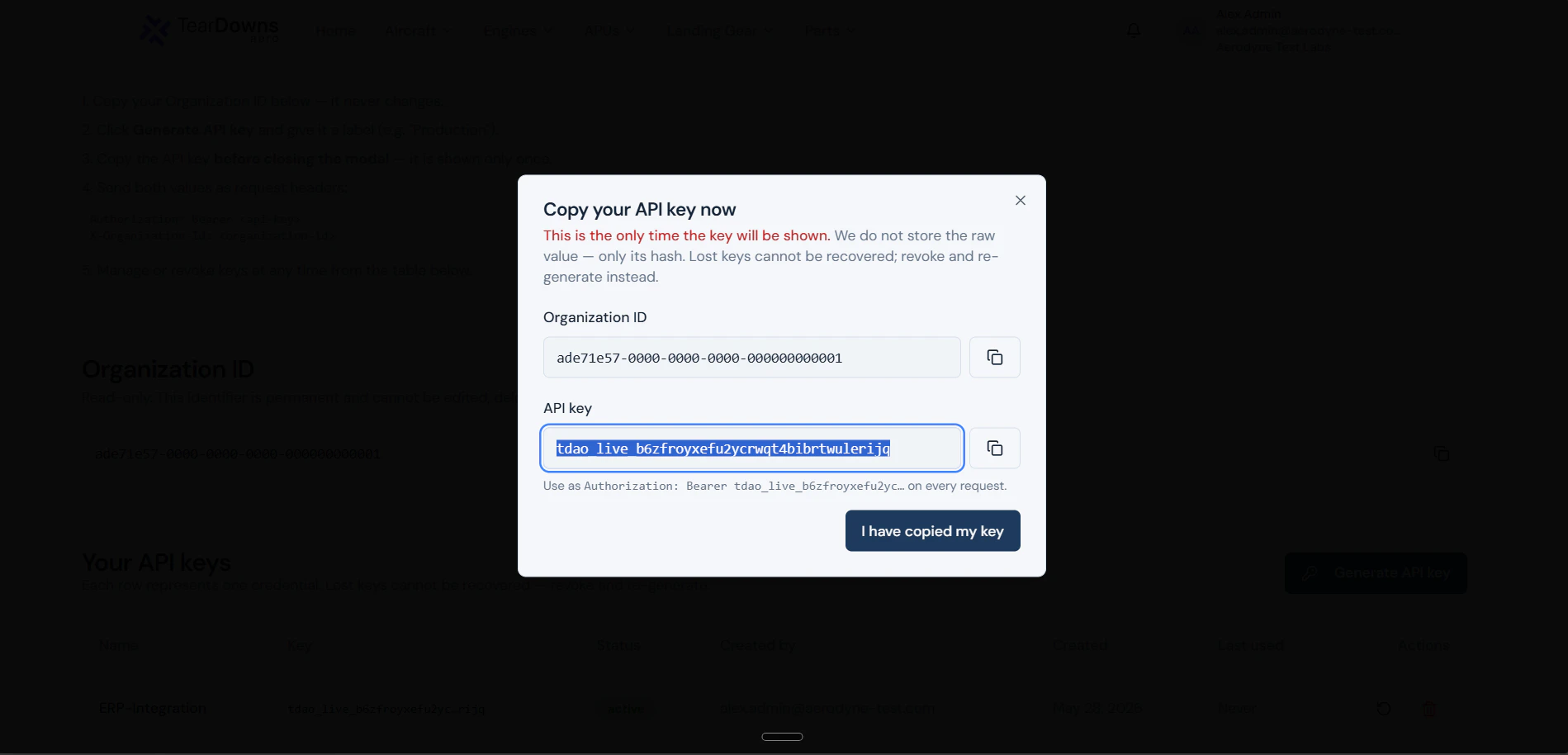
The reveal modal. The raw key is shown exactly once. Use a dummy or revoked value in the screenshot.
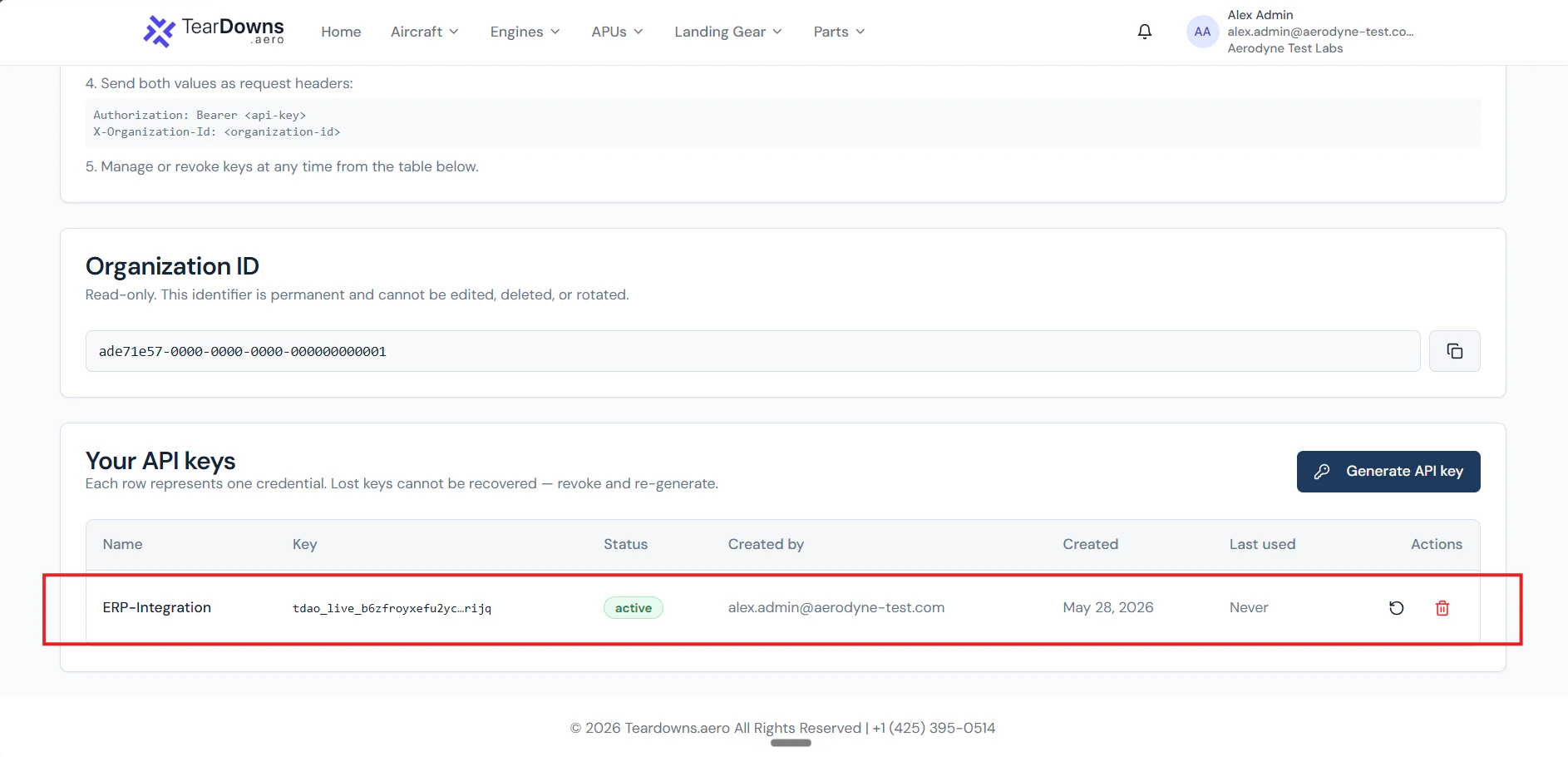
Back on the keys table with the new row. Note the prefix + last-four, the active badge, and the Rotate / Revoke actions.
Use
Authorization: Bearer tdao_live_… on every call. Always
pair with X-Organization-Id.Rotate
401 invalid_api_key. Update your secrets store before the rotation
completes for zero downtime.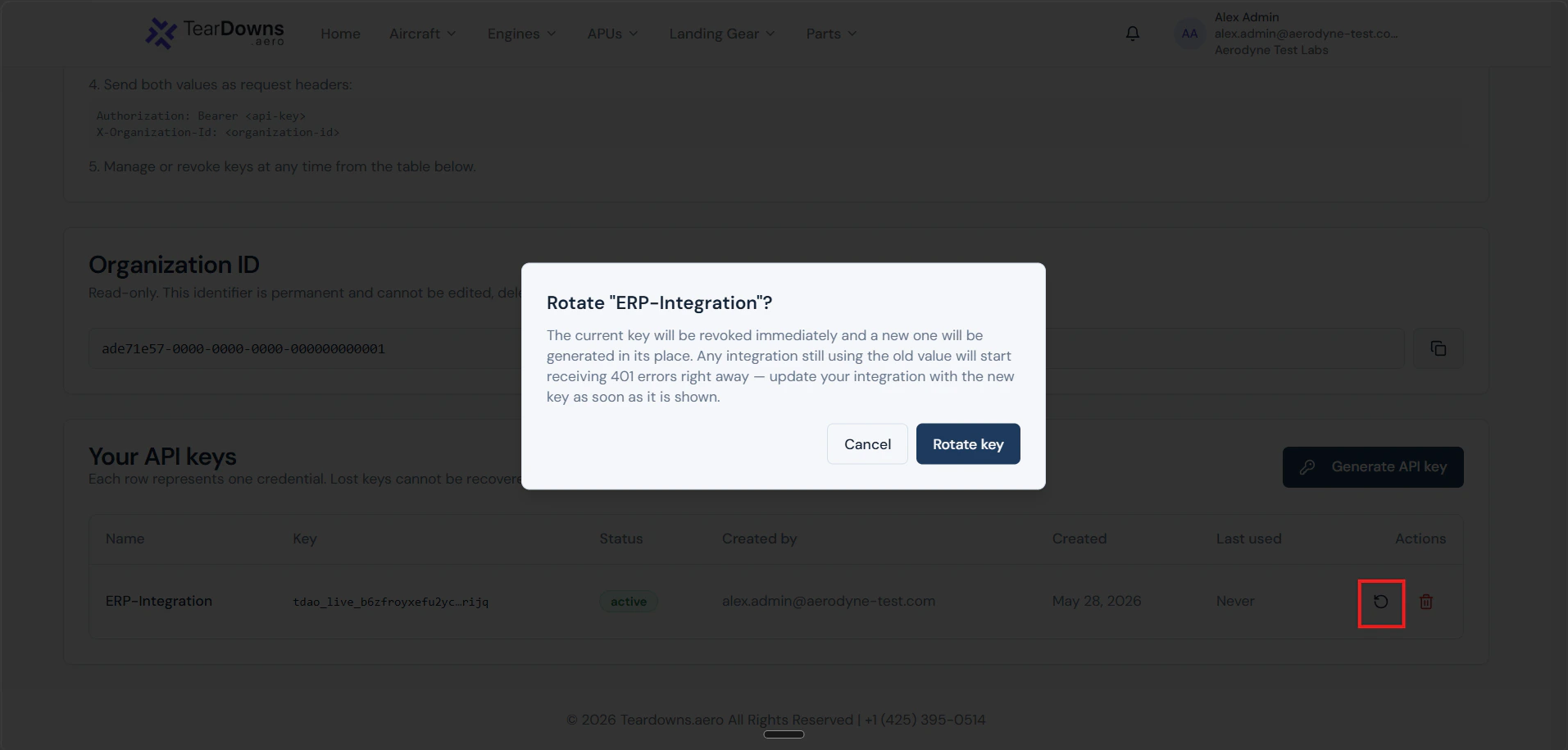
The rotate-confirmation dialog. The old key dies the moment you confirm keep the new value modal open until you've copied it.
Revoke
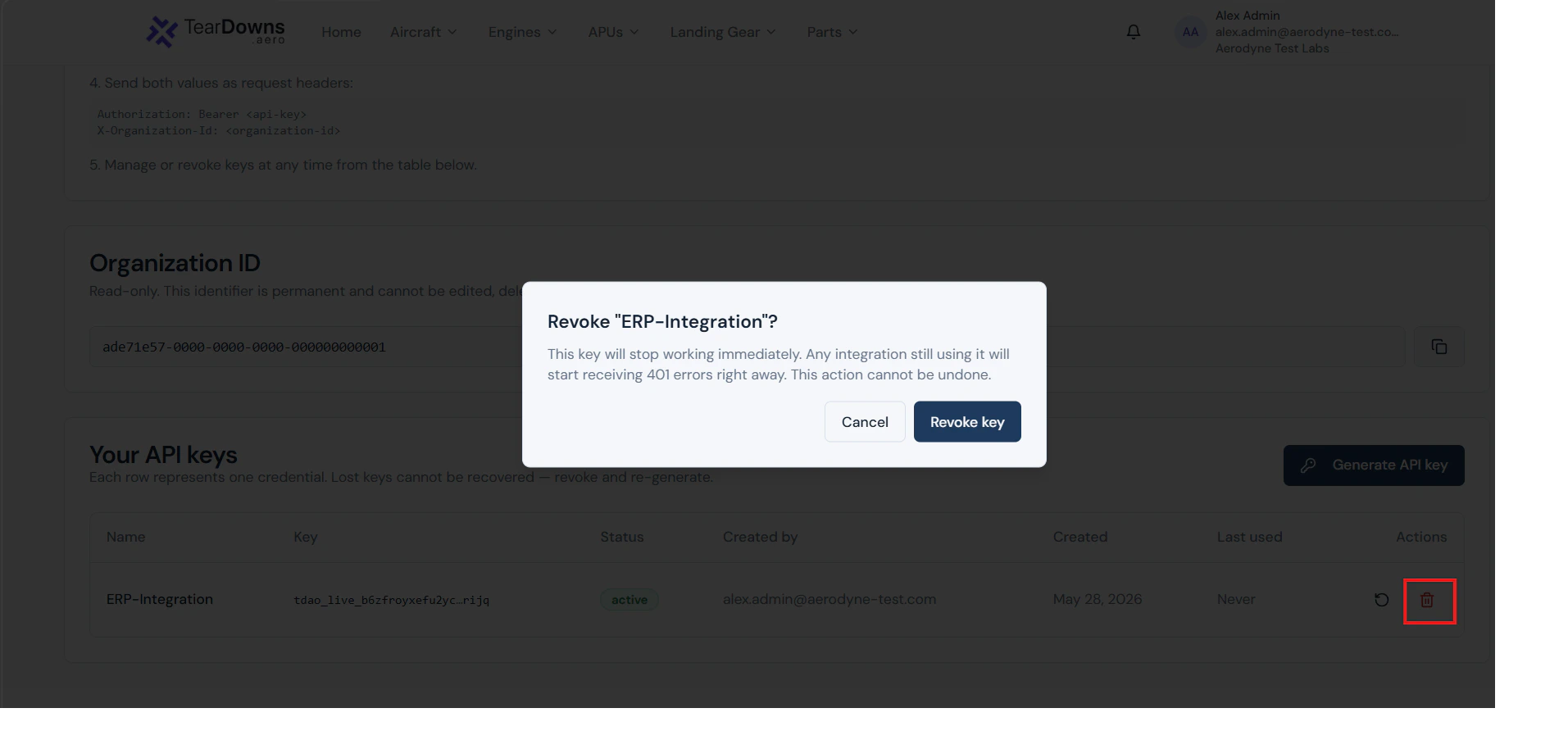
The revoke-confirmation dialog. Irreversible partner integrations using this key start getting 401s the moment you click Revoke.
What’s stored
Only the SHA-256 hash of the raw key lives in the database. Three visible-to-you fields help you identify a key in your settings list without exposing the secret again:Production ERP key, prefix …cous, ending lr4w”) without leaking material.
When a key stops working
Order matters. From the validation pipeline, in the order checks happen:- Format wrong →
401 missing_or_malformed_authorization. Token doesn’t start withBearer tdao_live_. - Hash not found →
401 invalid_api_key. Includes the never-existed case AND the revoked case. - Expired →
401 api_key_expired. Past itsexpires_at. - Wrong org id in the header →
403 organization_mismatch. - Org’s account/subscription bad →
403 org_inactive/org_churned/subscription_required. - Org’s API access toggle off →
403 api_access_disabled. - Minter is no longer active →
403 api_key_creator_revoked. - Minter lost the required capability →
403 insufficient_capability.
Best practices
- One key per integration. Mint a separate key for each ERP, each CI job, each downstream consumer. When one rotates, the others are unaffected.
- Store in a real secrets manager. Environment files in source control are a leak waiting to happen. Use Vault, AWS Secrets Manager, Doppler, GCP Secret Manager, or your platform’s equivalent.
- Rotate when a maintainer leaves. The user who minted the key is re-checked per request; deactivating them in our system stops the key. But a copy of the secret outside our system doesn’t care. Revoke + re-mint.
- Don’t share via Slack / email. Use the secrets manager’s “share” feature. The raw value should never appear in chat history.
- Watch your logs. Sudden spikes in
401s on/public/v1/*or any403 organization_mismatchare security signals. Both are visible in our audit logs as well as your own.