

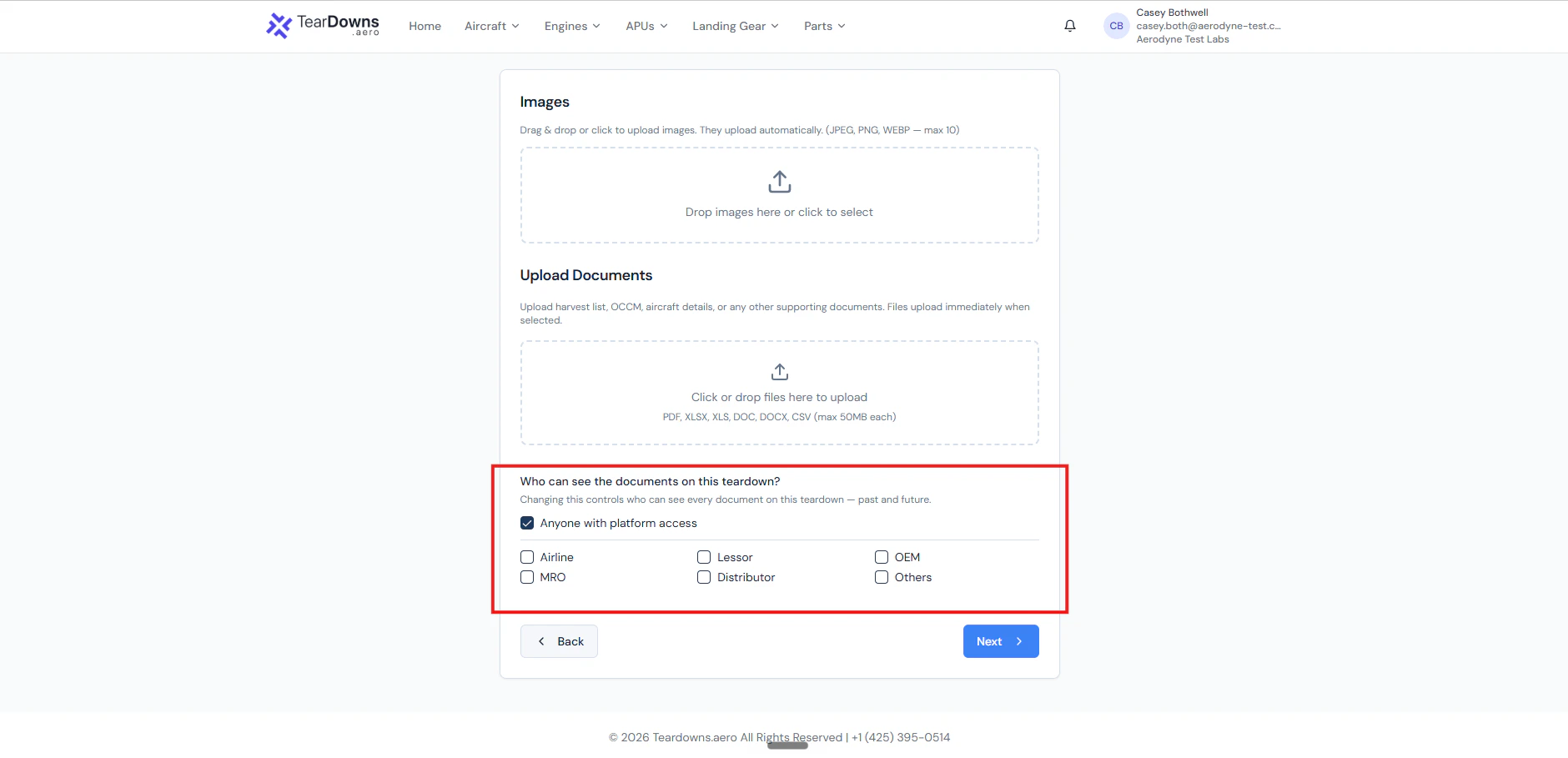
The audience picker on the create wizard. "Anyone with platform access" is the default; checking specific company types restricts the document view.
What you can set it to
The six allowed company types:
AirlineLessorOEMMRODistributorOthers
Default behaviour
A freshly-created teardown hasaudience = null. Anyone logged into
Teardowns.aero with seller or buyer access can see its documents.
For most teardowns, the default is just right. You’d typically only set an audience in special cases, for example, when a teardown contains operator-sensitive maintenance records, or when an OEM would like to keep their incident statements visible only to operators flying the same airframe.
Two ways to set it
1. On the same call that uploads a document (recommended)
The document-upload endpoints accept an optionalaudience form field
a comma-separated string of company types:
- Uploads the file.
- Appends the URL to
documents[]. - Sets
audience = ["Airline", "MRO", "Others"]on the teardown.
mro, airline works). Whitespace tolerated.
Duplicates dropped. Invalid values return 422 invalid_audience with
the full allowed list and crucially, before the file is uploaded,
so you never get an orphan upload.
2. Via PATCH after the fact
If you’ve already uploaded the document and just want to change who can see it, use the update endpoint:audience: null clears
the restriction back to “anyone with platform access”.
Reading audience back
GET /public/v1/teardowns/{id} returns audience as part of the
response. It’s null for never-set teardowns and an array for
restricted ones:
audience_set_at timestamp records when the value was last changed
useful for support investigations.
What the viewer sees
When a viewer’s company type isn’t in the audience list, they get the teardown row in browse results but with the document URLs blanked out. The teardown’s existence isn’t hidden just the doc URLs. (Hiding the row entirely would break browse counts and surprise buyers who can otherwise see the teardown listing.) Three exceptions to the blanking rule:- Same-org viewers always see all their own documents the audience never applies to your own org.
- Platform admins [ Teardowns.aero ] always see all documents.
- No audience set (
null) every viewer with platform access sees the documents.
Audit trail
Audience changes write a dedicated audit row:audience.setwhenprevious_audiencewasnullaudience.changedwhen it was a different non-null list